918Kiss Login and Registration Guide
Updated: 2 November 2026 · Reviewed by the M-Kiss918 editorial team
Quick answer: You cannot sign up inside the 918Kiss app. To register, contact an authorised agent (or our registration form), provide a name and phone number, and receive a player ID and temporary password. Log in through the app, change the password immediately, and top up only after the agent confirms your account. Most login failures come from a wrong ID format, an outdated app or a password that needs resetting by the agent.
The 918Kiss login screen confuses new players because there is no "Sign up" button. That is by design: Kiss918 accounts are created by agents, who also handle top-ups and withdrawals. Understanding this model – and its weak points – is the key to getting started safely. This guide covers registration, your first login, how to keep the account secure and how to fix the login errors we hear about most often.
How 918Kiss Registration Works
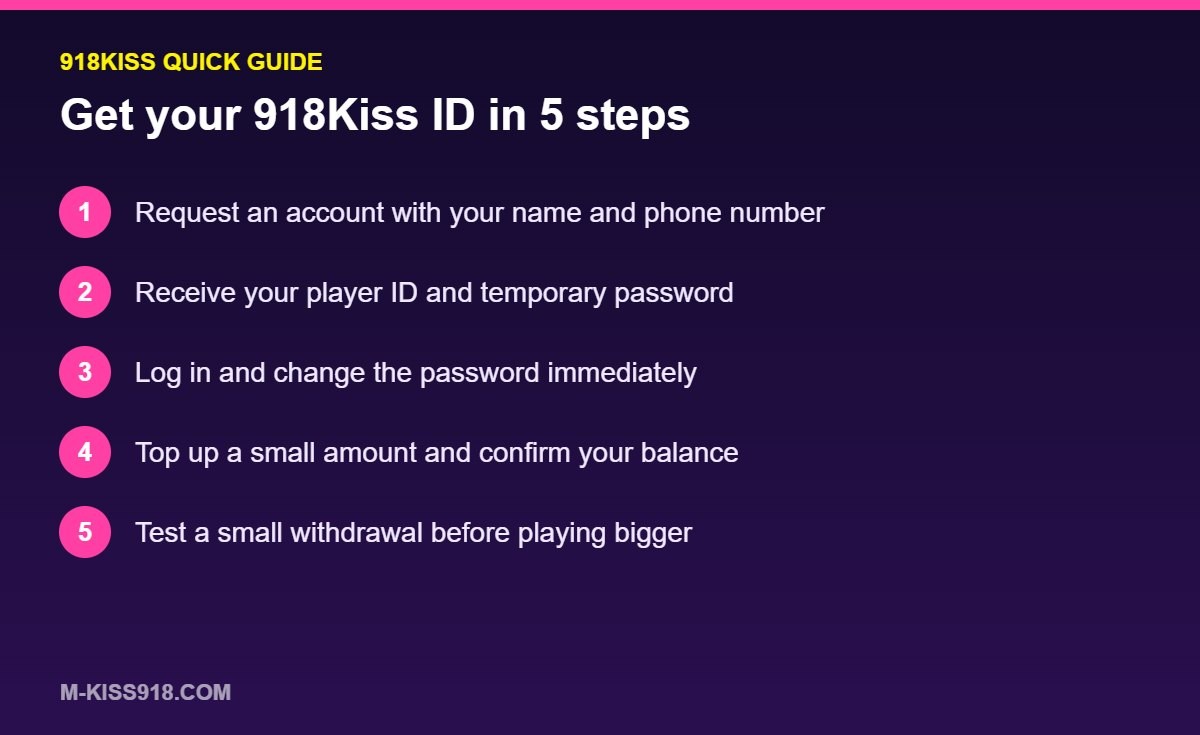
| Step | Who does it | What happens |
|---|---|---|
| 1. Request an account | You | Contact an agent or use our 918Kiss registration form with your name and phone number |
| 2. Account creation | Agent | The agent generates a player ID and temporary password |
| 3. First login | You | Log in through the app and change the password |
| 4. First top-up | You and agent | Transfer the amount; agent credits your balance after confirming |
| 5. Play and withdraw | You and agent | Withdrawals go back through the agent to your bank or e-wallet |
Registration usually takes 5–15 minutes during busy hours. You do not need to provide your IC number, and you should be very cautious of anyone who asks for it at this stage.
Try a Free Test ID First
Before you register a real account, ask for a free test ID. Our homepage lists the current test accounts (for example test1–test9999 with the published password). Test credits have no cash value, but they let you confirm that the app runs smoothly on your phone, that the login process works, and which games you enjoy. If the app lags or crashes on your device, it is far better to find out before you deposit.
Your First Login, Step by Step
- Open 918Kiss. If it is not installed yet, follow our APK install guide.
- Enter the player ID exactly as the agent sent it – IDs are case-sensitive on some builds.
- Enter the temporary password and tap Login.
- Go to the settings or account menu and change the password immediately.
- Check that your balance shows correctly before playing.
Use a password you do not use anywhere else, with at least 8 characters mixing letters and numbers. Never reuse your banking or email password.
Fixing Common 918Kiss Login Errors
| Error | Likely cause | Fix |
|---|---|---|
| "Invalid ID or password" | Typo, wrong case or caps lock | Re-type carefully; ask the agent to confirm the exact ID |
| "Account locked" | Too many failed attempts | Wait 15–30 minutes or ask the agent to unlock |
| "Network error" | Outdated app or unstable connection | Switch to Wi-Fi and update to the latest version |
| App closes at login (iPhone) | Revoked certificate | Reinstall the latest iOS build |
| Logged out repeatedly | Same ID used on two devices | Log out of other devices; change your password |
| Forgot password | – | Ask your agent for a reset; there is no self-service reset |
Choosing an Agent You Can Trust
Because the agent controls your top-ups and withdrawals, choosing one is the most important decision you make on 918Kiss. Good agents share a few traits:
- They respond within minutes and confirm deposits with a reference number.
- They state withdrawal times and limits before you deposit.
- They never ask for your banking password, OTP or full IC details.
- They keep chat records and provide receipts.
Warning signs include pressure to deposit more to "unlock" a withdrawal, unexplained fees and sudden changes of bank account details. If you see any of these, stop and read our 918Kiss safety and scam guide.
Keeping Your Account Secure
- Change the password on first login and every few months after.
- Do not share your ID with friends; shared accounts are the most common cause of disputes.
- Log out on shared or borrowed devices.
- Keep screenshots of top-ups and withdrawals for at least a month.
- Contact support through official channels only – see our customer support page.
Can I Have More Than One 918Kiss ID?
Technically, an agent can create several IDs, but there is rarely a good reason to. Multiple accounts make it harder to track your spending, and some bonus terms prohibit them. One ID per player, with a clear budget, is the simplest and safest setup.
Moving From Test ID to Real Account
When you switch from a test ID to a real one, start small. Make a modest first deposit, play a short session and request a small withdrawal. Once the agent has paid you out promptly, you have evidence that the setup works and can decide how much more you want to play. Pair this with the budgeting advice in our responsible gambling guide for 918Kiss.
Logging In on More Than One Device
Many players use 918Kiss on a phone and a tablet, or switch to a new phone after an upgrade. Your ID works on any device with the app installed, but a few rules avoid trouble:
| Situation | What to do |
|---|---|
| New phone | Install the latest app on the new phone, log in, then uninstall from the old one |
| Phone and tablet | Log out of one device before logging in on the other |
| Borrowed phone | Log out and clear the app data when you finish |
| Lost or stolen phone | Ask your agent to change your password straight away |
| Emulator on PC | Treat it like a second device and log out when done |
Being logged in on two devices at once is the most common cause of sudden logouts. It can also look suspicious to the platform's security checks, so keep one active session at a time.
Building a Strong 918Kiss Password
The default password from your agent is often short and predictable. A strong replacement takes ten seconds to create:
- Use at least 10 characters.
- Mix upper- and lower-case letters with numbers.
- Avoid your name, phone number, birthday or "918kiss" in any form.
- Never reuse it for email, banking or social media.
A simple method is to join three unrelated words and a number you will remember – for example a fruit, a colour and a place, followed by two digits. Store it in your phone's password manager rather than in a chat message or screenshot.
What Happens When an Agent Account Changes
Sometimes an agent stops operating or hands players over to another agent. If that happens, confirm the change through a channel you already trust before sending any money to new bank details. Ask the new agent to confirm your current balance and ID before you top up. Scammers sometimes pretend to be "the new agent" to collect deposits, so a quick verification step protects you.
What Information Should You Never Share?
An honest agent only needs a name, a phone number and the bank or e-wallet account you will use for withdrawals. Nobody involved in 918Kiss ever needs your online banking password, your one-time PIN, a photo of your IC or your email password. If a message claiming to be from support asks for any of these, it is a scam, regardless of how official it looks. Report it to your agent through a channel you already trust and block the sender.
918Kiss Login FAQ
Can I register a 918Kiss account myself in the app?
No. 918Kiss accounts are created by agents. You receive an ID and password and then log in through the app.
What do I need to register for 918Kiss?
Usually just a name, a phone number and the bank or e-wallet account you will use for withdrawals. You should not need to share passwords or OTP codes.
How do I reset my 918Kiss password?
Ask your agent to reset it. There is no self-service password reset inside the app.
Why does 918Kiss say my ID or password is invalid?
The ID may be typed incorrectly or in the wrong case, caps lock may be on, or the password may have been changed. Confirm the details with your agent.
Is the 918Kiss test ID free?
Yes. Test IDs are free and use credits with no cash value, so you can try the app before depositing.